
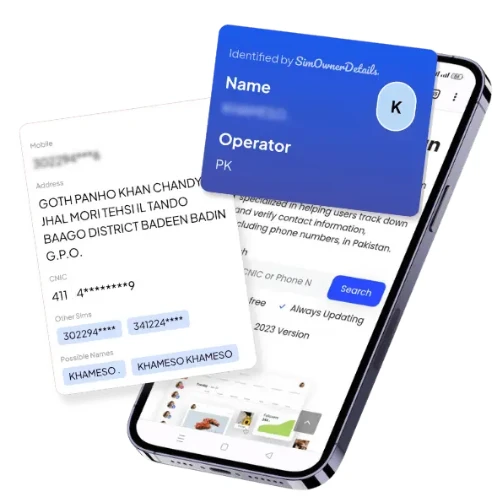
Securely Verify Your Identity Through Government-Approved SIM Database
Identify SIM Ownership Through PTA Mobile App. Enter CNIC or Phone Number for Instant Verified Database Lookup. Download & Start Now!
SIM Database Pakistan 2025: Legal Verification & Security Guide
What is SIM Database in Pakistan?
Pakistan’s SIM database is the official registration system managed by PTA (Pakistan Telecommunication Authority) integrated with NADRA for biometric verification. Every mobile connection requires CNIC authentication, creating secure records for 194+ million active subscribers across Jazz, Zong, Telenor, Ufone, and SCOM networks.
This regulated system exists to:
- Verify every SIM through Biometric Verification System (BVS)
- Link mobile numbers to authentic CNIC identities
- Limit SIMs per CNIC to prevent fraud
- Enable lawful investigations and consumer protection
- Secure banking, government services, and digital transactions
Critical Warning: Unofficial “SIM database search” websites claiming to reveal owner details are illegal under PECA 2016, threaten your privacy, and provide fake data disconnected from official systems.
Legal Ways to Check SIM Database
Method 1: SMS to 668 (Instant)
- Open your SMS app on any network
- Type your 13-digit CNIC (no dashes)
- Send to 668
- Receive breakdown of active SIMs per operator
Example Response: “3 SIMs registered: Jazz 1, Telenor 1, Zong 1”
Method 2: Official PTA Portal
Visit cnic.sims.pk (PTA’s official SIM Information System)
Steps:
- Enter your 13-digit CNIC number
- Complete CAPTCHA verification
- Click Submit
- View detailed operator-wise breakdown
Shows: Total SIM count, network distribution, registration dates, active/blocked status.
Method 3: Operator Franchise Visit
Take original CNIC to any authorized franchise:
- Jazz customer center
- Telenor service point
- Zong franchise
- Ufone shop
- SCOM outlet
Request staff to display all SIMs registered on your CNIC and immediately block unauthorized numbers.
Method 4: Network Identification (MNP Check)
To identify which network a number belongs to (before calling or porting):
- Send “MNP” to 667
- Receive network name only (not personal details)
Note: This doesn’t reveal owner information—only the current telecom operator.
SIM Database Features & Regulations
Biometric Verification System (BVS)
All SIM activations, replacements, and Mobile Number Portability (MNP) require fingerprint verification against NADRA records. This prevents:
- Identity theft through fake registrations
- SIM fraud using stolen CNICs
- Unauthorized number transfers
- Black market SIM sales
SIM Limit Per CNIC
Current PTA Regulation: Maximum 5 active voice SIMs per CNIC across all networks combined.
| Network | Maximum SIMs | Verification |
|---|---|---|
| Jazz | 5 per CNIC | BVS Required |
| Zong | 5 per CNIC | BVS Required |
| Telenor | 5 per CNIC | BVS Required |
| Ufone | 5 per CNIC | BVS Required |
| SCOM | 5 per CNIC | BVS Required |
Important: The 5-SIM limit applies to your total registrations, not per network. Check simownerdetailss.net.pk regularly for updated PTA regulations.
Mobile Number Portability (MNP)
Keep your number when switching networks. Your registration data transfers automatically with BVS re-verification required at the new operator.
Complaint & Blocking System
- Operator Helplines: Request immediate SIM blocking
- PTA Complaint Portal: https://complaint.pta.gov.pk
- FIA Cybercrime: https://complaint.fia.gov.pk for fraud cases
Real User Scenarios & Solutions
Case 1: Unauthorized SIMs Discovered
Problem: User checks 668 and finds 7 SIMs instead of 3 expected.
Solution:
- Visit operator franchises with original CNIC
- Request blocking of all unknown SIMs
- File PTA complaint if operators don’t cooperate
- Change banking app PINs and enable biometric locks
- Monitor 668 monthly for 6 months
Outcome: Fraudulent SIMs blocked within 48 hours, user sets quarterly reminders.
Case 2: Registration Mismatch After Porting
Problem: After MNP from Jazz to Telenor, registration error messages appear.
Solution:
- Visit new operator (Telenor) franchise immediately
- Complete BVS re-verification with CNIC
- Request profile printout confirming correct CNIC mapping
- Verify via 668 after 24 hours
Outcome: Registration corrected, services restored, no billing issues.
Case 3: SIM Swap Fraud Attempt
Problem: User receives “SIM replacement request” alert but didn’t request it.
Solution:
- Call operator helpline immediately to block request
- Visit franchise with CNIC to confirm no unauthorized changes
- Enable SIM change alerts on banking apps
- File FIA cybercrime complaint for attempted fraud
- Change all financial app passwords
Outcome: Fraud attempt blocked, enhanced security measures activated.
Protect Your SIM Identity: Security Checklist
Monthly Actions
☑ Send CNIC to 668 to verify current SIM count
☑ Check cnic.sims.pk for registration changes
☑ Review bank statements for unauthorized transactions
☑ Confirm physical possession of all registered SIMs
☑ Update passwords for mobile-linked accounts
CNIC Protection Best Practices
- Never share CNIC photos on social media or messaging apps
- Only use authorized operator franchises for BVS
- Redact CNIC numbers when photocopying for non-critical purposes
- Guard fingerprints—never provide biometrics to unofficial sources
- Verify franchise authenticity before providing CNIC
OTP & Security Measures
- Treat OTPs like bank passwords—never share via call/SMS
- Enable app-based authentication (Google Authenticator, Authy)
- Activate SIM change alerts on all banking apps
- Set up transaction notifications for real-time fraud detection
- Use biometric locks on financial and government apps
Close Unused SIMs
Fewer active SIMs = reduced fraud exposure. If you have:
- Old numbers from previous jobs
- Backup SIMs never used
- Numbers registered years ago
Action: Visit operator franchise to permanently block and remove from your CNIC.
Why “SIM Database Search” Sites Are Dangerous
Legal Violations
Websites claiming to provide “SIM owner details by number” or “CNIC from phone number” violate:
- PECA 2016: 3-7 years imprisonment for unauthorized data access
- Privacy Laws: Civil penalties up to Rs. 1 million
- Cybercrime Act: Criminal charges for identity theft facilitation
Security Risks
Unofficial sites expose you to:
- Malware & Phishing: Fake portals steal your data
- Identity Theft: Your CNIC information harvested
- Financial Fraud: Banking credentials compromised
- Scam Networks: Personal details sold to criminals
Data Accuracy Issues
These sites provide:
- Outdated Information: Not connected to real-time PTA systems
- Fabricated Data: Random names matched to numbers
- No Verification: Cannot distinguish active from blocked SIMs
Safe Alternative: Only trust simownerdetailss.net.pk for educational guides directing you to official PTA channels—never for unauthorized data access.
Business & Corporate SIM Management
Enterprise SIM Inventory
Companies issuing corporate SIMs must maintain:
- Central registry with MSISDN, employee CNIC, assignment date
- Authorization letters for corporate bulk registrations
- Regular audits via operator account managers
- Exit procedures: SIM collection or immediate blocking
Corporate KYC Compliance
Follow PTA regulations:
- Submit updated employee records quarterly
- Use authorized corporate connection channels
- Maintain documentation for 5+ years
- Train staff on OTP security and SIM swap prevention
Quarterly Audit Process
- Request SIM list from operator account manager
- Cross-reference with internal employee database
- Identify and block SIMs of former employees
- Verify current employees’ SIM counts via franchise
- Document audit trail for compliance
Official Resources & Contact Information
PTA Services
- SIM Information System: https://cnic.sims.pk
- Main Website: https://pta.gov.pk
- Complaint Portal: https://complaint.pta.gov.pk
- Helpline: 0800-55055 (toll-free)
- SMS Service: 668 (SIM check), 667 (MNP/network check)
Operator Helplines
- Jazz: 111 | customercare@jazz.com.pk
- Zong: 310 | cs@zong.com.pk
- Telenor: 345 | care@telenor.com.pk
- Ufone: 333 | customercare@ufone.com
- SCOM: 0800-11111
Fraud Reporting
- FIA Cybercrime: https://complaint.fia.gov.pk | Helpline: 1991
- NADRA: https://nadra.gov.pk | 051-111-786-100
Educational Resources
- Sim Owner Details: simownerdetailss.net.pk
- PTA Consumer Info: https://pta.gov.pk/en/consumers
Why Trust SimOwnerDetailss.net.pk?
At Sim Owner Details, we provide privacy-safe, legally compliant guidance on SIM verification and mobile security in Pakistan. We never:
❌ Host or promote illegal “SIM database” lookups
❌ Claim to provide unauthorized owner details
❌ Link to fake tracking or data harvesting sites
❌ Violate PECA 2016 or privacy regulations
✅ Explain official PTA processes clearly
✅ Help users protect identity and prevent fraud
✅ Update content with latest policy changes
✅ Direct users only to authorized government channels
Our Mission: Empower Pakistani mobile users with accurate information about their rights, security tools, and legal verification methods—without compromising anyone’s privacy or breaking laws.
Visit simownerdetailss.net.pk for:
- Step-by-step SIM verification tutorials
- Latest PTA regulation updates
- Security alerts and fraud prevention tips
- Direct links to official government portals
- Privacy protection best practices
Key Takeaways
✓ Use 668 SMS or cnic.sims.pk for legal SIM verification
✓ Maximum 5 SIMs allowed per CNIC across all networks
✓ Never trust third-party “SIM database search” sites
✓ Report unauthorized SIMs immediately via PTA complaint portal
✓ Enable biometric locks and transaction alerts on financial apps
✓ Check monthly via 668 to detect fraud early
✓ Visit simownerdetailss.net.pk for updated guidance
Legal Disclaimer: SimOwnerDetailss.net.pk provides educational information about Pakistan’s SIM registration system and directs users to official PTA channels for verification. We do not provide, facilitate, or endorse unauthorized access to personal data, CNIC records, or SIM owner details. All verification must be conducted through official PTA services (668, cnic.sims.pk) or authorized operator franchises. We comply fully with PECA Act 2016, privacy regulations, and Pakistan Telecommunication Authority guidelines.
For official SIM verification, always use:
- SMS: 668 (CNIC verification)
- Portal: https://cnic.sims.pk
- Helpline: 0800-55055 (PTA)
- Guidance: simownerdetailss.net.pk
Pakistan SIM Database FAQ
How many SIMs can I register on my CNIC?
PTA allows maximum 5 active voice SIMs per CNIC across all operators combined. Check current status at simownerdetailss.net.pk or via 668, as policies may change.
Can I find the owner of an unknown number?
No. Pakistan’s privacy laws prohibit looking up personal details of others’ numbers. For harassment or fraud cases:
- File complaint at https://complaint.pta.gov.pk
- Report to FIA Cybercrime: https://complaint.fia.gov.pk
- Use MNP check (667) only to identify network provider
What if I discover unauthorized SIMs on my CNIC?
Immediate Actions:
- Visit operator franchise with original CNIC
- Request blocking of all unauthorized registrations
- File PTA complaint if unresolved within 48 hours
- Report to FIA for suspected identity theft
- Change critical passwords and enable security alerts
Are "SIM Database 2025" websites legitimate?
No. They are illegal, risky, and disconnected from official systems. Pakistan’s SIM data is protected under PECA 2016. Use only:
- 668 SMS service
- https://cnic.sims.pk
- Operator franchises
- simownerdetailss.net.pk for educational guidance
How do I check my own SIM registration details?
From your registered number:
- Visit your operator’s franchise with CNIC
- Request registration printout showing owner name, CNIC, and activation date
- Use operator-specific USSD codes (Jazz: *99#, Telenor: *444#)
Never attempt to access someone else’s registration details—it’s a criminal offense.
 SIM OWNER DETAILS